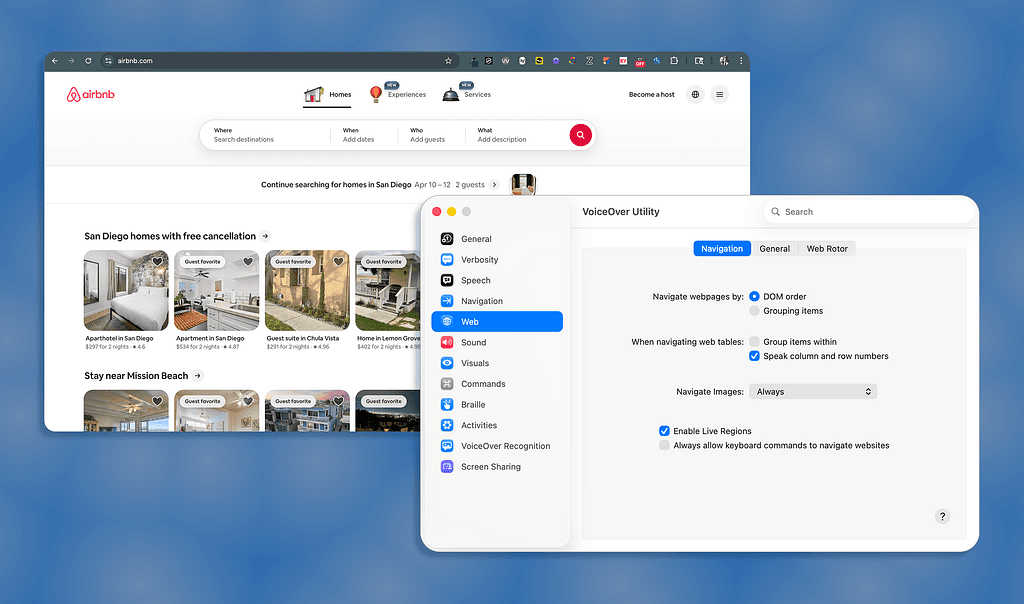
Screen readers do not interpret visual design. They read structure. VoiceOver, NVDA, and JAWS translate your UI into a linear sequence of roles, names, and states: what an element is, what it is called, and what condition it is in. A bold oversized heading is meaningless to a screen reader unless it carries a heading tag. An icon button without a programmatic label gets announced as 'Button,' nothing more. Every design decision that relies on color, size, proximity, or visual hierarchy to communicate meaning is invisible to the roughly 7.6 million Americans with visual disabilities who depend on these tools.
The article from UX Collective goes deeper than most accessibility primers by walking through the exact mechanics of where designers break the experience without knowing it. Vague link labels like 'Learn more' become indistinguishable from each other when a user pulls up a link list, stripping all surrounding context. Placeholder text used as a field label disappears on input, leaving nothing for the reader to announce. Cards with bold titles and descriptive copy collapse into 'Learn more, link' and 'Icon, button' if the component structure is not explicitly defined. The Airbnb and Apple examples in the original piece show both the failure mode and a working fix side by side.
The fix is not purely a developer problem. Designers control component choices, content hierarchy, and labeling decisions long before code is written. The article outlines a practical starting point: activate VoiceOver on iOS or TalkBack on Android and navigate your own product without looking at the screen. What you hear is what your users get. The full piece covers heading structure, focus order, dynamic state announcements for toggles and dropdowns, and how to annotate designs so accessibility intent survives the handoff.
[READ ORIGINAL →]